
Canon Copier Troubleshooting
Canon Copier Paper Jam Keeps Happening?
If your Canon copier keeps jamming, the problem may be caused by paper quality, tray setup, dirty rollers, worn parts, or paper stuck inside the machine. OCCORE IT Services helps businesses in Orange County diagnose and repair recurring Canon copier paper jams.
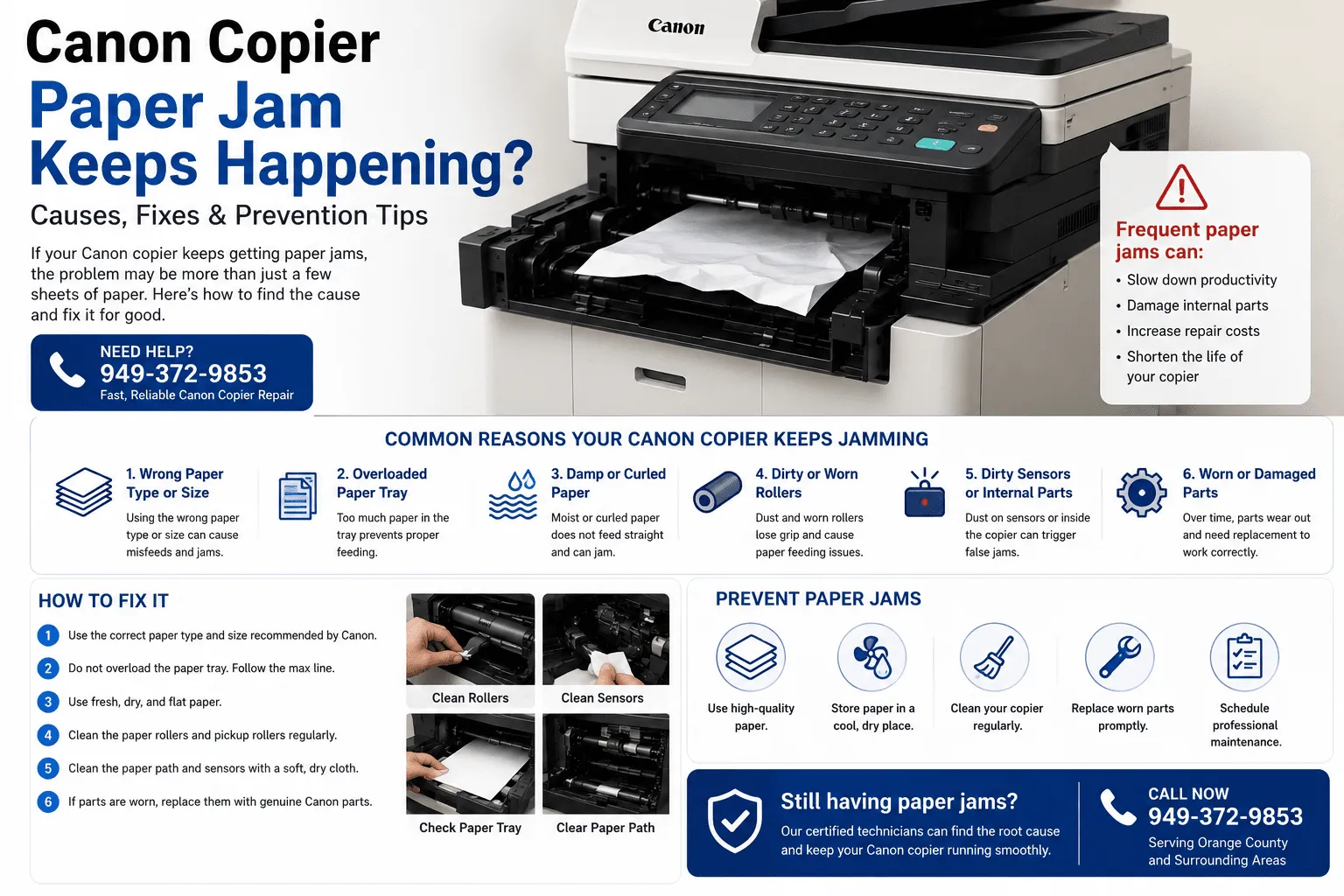
Why Your Canon Copier Keeps Jamming
A one-time paper jam is common. But if the same Canon copier keeps jamming again and again, it usually means something in the paper path, rollers, tray, sensors, or internal feed system needs cleaning, adjustment, or repair.
Common Causes
Reasons Canon Copiers Keep Getting Paper Jams
Wrong paper size or paper type
This can cause the copier to misfeed, stop printing, wrinkle paper, or show repeated jam messages even after the paper is removed.
Overloaded paper tray
This can cause the copier to misfeed, stop printing, wrinkle paper, or show repeated jam messages even after the paper is removed.
Damp, curled, or low-quality paper
This can cause the copier to misfeed, stop printing, wrinkle paper, or show repeated jam messages even after the paper is removed.
Dirty or worn pickup rollers
This can cause the copier to misfeed, stop printing, wrinkle paper, or show repeated jam messages even after the paper is removed.
Paper stuck inside the paper path
This can cause the copier to misfeed, stop printing, wrinkle paper, or show repeated jam messages even after the paper is removed.
Worn feed rollers, sensors, or internal parts
This can cause the copier to misfeed, stop printing, wrinkle paper, or show repeated jam messages even after the paper is removed.
What You Can Try First
Quick Fixes for Canon Copier Paper Jams
Before calling for service, you can try these basic steps. If the jam keeps coming back, avoid forcing parts open or pulling paper too hard because it can damage sensors, rollers, or the fuser area.
Remove all jammed paper carefully and check for small torn pieces.
Use the correct paper size and type recommended for your Canon copier.
Do not overload the tray. Keep paper below the maximum fill line.
Fan and straighten the paper before loading it into the tray.
Clean visible rollers and paper-feed areas with a dry lint-free cloth.
Schedule service if the copier keeps jamming after basic cleaning.
When You Should Call a Copier Technician
Call for service if your Canon copier jams every day, jams from the same tray, wrinkles paper, makes grinding noises, shows jam errors with no visible paper, or jams right after replacing toner or paper.
- Roller and paper-feed inspection
- Sensor and paper-path cleaning
- Tray, pickup, and separation pad check
- Professional Canon copier troubleshooting
Canon Copier Paper Jam Repair in Orange County
OCCORE IT Services provides Canon copier support for small businesses, offices, and local teams throughout Orange County. We help with recurring paper jams, print-quality problems, scan issues, copier maintenance, copier repair, copier lease support, and printer troubleshooting.
We serve businesses in Irvine, Santa Ana, Mission Viejo, Lake Forest, Tustin, Costa Mesa, Anaheim, Newport Beach, Laguna Hills, Aliso Viejo, and nearby Orange County areas.
Still Having Canon Copier Paper Jams?
Contact OCCORE IT Services for fast Canon copier troubleshooting and repair in Orange County.
Call 949-372-9853